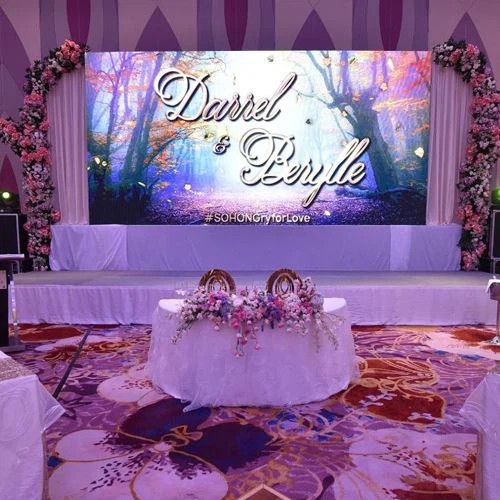
Have you ever encountered this kind of embarrassment? I spent a lot of money to install an LED projection screen, but as a result, the scene at the event was stretched like a mirror, and the audience in the audience laughed and suffered internal injuries. Don't panic, today we will lift the mystery of LED projection screen size settings and teach you step by step how to find the "size adjuster" hidden in the device.
1. The three vital gates of size setting
Doing LED screen projection is like playing a jigsaw puzzle. You need to figure out three key pieces first:
- Pixel maze : The numbers P4 and P6 are not randomly compiled. The smaller the number after P, the denser the pixels. Just like the ppi value of a mobile phone screen, you can see mascara ads clearly with P4 in a shopping mall, and P10 is more than enough for outdoor stadiums.
- Refresh rate metaphysics : Screen-cast sports images below 1920Hz are full of smear, just like shooting high-speed trains with Nokia. Fortunately, smart screens can now automatically match the frame rate of the content, making it possible to watch football games and play PPT.
- proportion obsessive-compulsive disorder : A 16:9 movie is forced onto a 4:3 screen, and the scene is like putting Yao Ming into a hobbit house. Remember these two golden ratios - 16:9 is preferred for video content, and 4:3 is more reliable for graphic display.
Last week I witnessed an overturning case: the wedding company used the wrong proportion to broadcast the wedding photos. The round face of the couple was forced to look like a pony face, and the emcee was so anxious that he searched for the remote control all over the venue. So Dimension setting is a technical job, and a slight difference can make a huge difference.。
2. Adjustment of entrance raids
Finding size settings is like playing an escape room. The key clues are in these places:
- Control software treasure map : Open the control platform provided by the manufacturer. Usually "Screen Parameter Settings" is located on the third layer of the settings menu. Be sure to enter the initial password, which is usually an auspicious number such as 888 or 168.
- Hardware mechanism : Some high-end screen receiving cards have physical DIP switches, and adjusting these requires more patience than playing a Rubik's Cube. It is recommended that novices connect to WiFi directly with their mobile phones, and it is easier to use the APP for remote adjustment.
- Intelligent adaptive mode : The new generation of LED projection screen will automatically identify the signal source like a smartphone. Plug in the HDMI cable and it will match the resolution of your laptop, like a chameleon.
Here’s a piece of trivia you may not know: A truly professional installer will bring a laser rangefinder to measure the dimensions on site, and then fine-tune the parameters like a tailor tailoring a garment. This job pays attention to "three accuracy" - accurate measurement, accurate calculation, and accurate loss.
3. Please keep the pit avoidance guide
The three most common pitfalls for novices are:
- unit confusion : Enter centimeters as pixels, and the result is that the 32-square-meter screen only displays images the size of a fingernail.
- Forgot module size : It’s like building Lego without reading the instructions. If you press the 16x32 module to set it to 32x16, the screen will directly break into a spider web.
- Ignore ambient light : Set to night mode during the day, and the 7500 nit screen is adjusted to 800 nit. The advertiser wants to punch people after seeing it.
Let me teach you a trick: Don’t rush to finish the work after setting it up. Play a test video first. Focus on whether the four corners are stretched or deformed, whether there is smearing in fast-moving scenes, and whether details can be seen clearly under strong light. If you pass these three levels, you are basically ready to go.
4. Black technology in the intelligent era
Today’s LED projection screens are becoming more and more like smart home appliances:
- environment sensing eye : The built-in light sensor can automatically adjust the brightness, automatically brightening under the bright sun, and gently dimming on rainy days.
- proportional deformation : When encountering content with unconventional sizes, the AI algorithm will automatically crop key scenes, just like wearing elastic jeans for the video
- Remote diagnosis and treatment room : The 24-hour online technical team can perform cloud diagnosis. Last time, a customer entered incorrect parameters, and the engineer fixed it remotely in the middle of the night.
Editor's opinion: To be honest, setting the size of the LED projection screen is like driving a car - novices find it difficult to distinguish between accelerator and brake on the steering wheel, while experienced drivers can park into a narrow parking space with their eyes closed. Remember this formula is correct: Tailor-made clothes and proportions, ambient lighting to match, smart devices to make good use of, and a professional team to back you up. Next time you encounter screen distortion, don’t rush to smash the remote control. Check these three parameters first to ensure that the medicine will cure the problem!