Hi~welcome to shenzhen xinmu display technology co., ltd.!

News Center

hotline:

13632760729

Where is the USB interface of the LED display hidden?

2025-06-27 431

Have you ever encountered this situation - holding a USB flash drive with saved videos in your hand, you circled the LED display three times but couldn't find the socket? Lao Wang, who installed a screen in a shopping mall last time, made a joke and almost plugged in the USB charging port at the checkout counter as a display interface. Today we will take a look at this seemingly simple problem that drives countless novices crazy.

Where is the USB interface of the LED display hidden?

​Let me tell you the truth first​ ​: Different models of LED screens and USB interfaces are like a hide-and-seek master, and the hiding position can be played in more than a dozen tricks. But don’t panic, remember these three golden rules and you’ll be sure to lock onto your target within three seconds next time.


The first rule: first find out the "ID card" on the display screen"

If you want to quickly locate the USB interface, you must first learn to read the "physical examination report" on the display:

  1. ​Rummaging through boxes and cabinets to find the manual​
    Don't bother, there are usually labeled structural diagrams in the paper instructions. Pay attention to the "Interface Distribution" chapter. Some models will also use a red dotted box to specifically mark the USB location.

  2. ​Download e-manual from official website​
    If the paper manual is lost, go directly to the manufacturer's official website to search for the product model. For example, the 3D structure diagram of a certain brand's P3 series outdoor screen can be rotated 360 degrees to view the interface location.

  3. ​Look at the appearance of the control card​
    Open the back cover of the screen and find the control card, which is about the size of a matchbox. If the card has a USB female socket, congratulations on winning the prize - this is a direct connection port. If there is only a pin header interface, it means that an external adapter board is needed.


The Second Law: Defeat the six hiding spots one by one

The USB interface locations I have seen over the years are simply more complicated than subway exits. Common types include:

  1. ​flanking stealth type​
    Commonly seen in rental screens and transparent screens, the interfaces are hidden in the grooves on the left and right sides of the screen. In the curved screen installed in a Korean shopping mall last year, the USB port is hidden on the 45-degree bevel on the right side, making it impossible to find it without touching it.

  2. ​dorsal labyrinth​
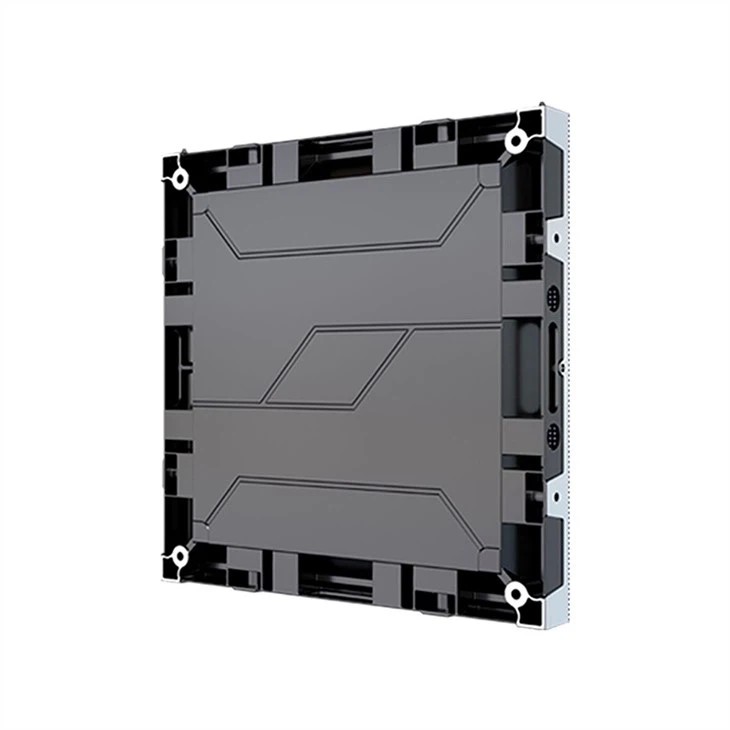
    This design is commonly used in outdoor advertising screens, with the interface area concentrated in the lower right corner of the back. But be careful - some manufacturers will make the USB and power ports the same color, remember to look for the "trident" logo.

  3. ​Control box separated type​
    For special structures such as stadium fence screens, the USB port may not be on the screen itself, but installed on a separate control box. In this case, you need to follow the signal line to find the black box-like control box.

  4. ​Extension line fishing type​
    Some engineering companies will be careful during installation and use an extension cable to lead the USB port originally located high on the screen to a position 1.5 meters above the ground. You may find a mysterious rubber stopper on the screen stand column. Pull it open to find the interface.

  5. ​Master of Disguise​
    The most unique design I have ever seen is a certain floor tile screen, with the USB port disguised as a floor tile joint. You have to use the matching magnetic key to attach to a specific location, and then the hidden interface will pop up. This design is really the best way to prevent accidental touches.

  6. ​wireless alternative​
    5G smart screens, which will become popular in 2024, directly use wireless transmission to replace the physical interface. There is no USB port at all on the surface of this type of screen, and you need to wake up the hidden interface through a specific key combination - such as pressing and holding the brightness + and menu keys for 5 seconds at the same time.


The Third Law: Three Emergency Tips When You Can’t Find It

If you really encounter the extreme situation of "dead or alive", try these three life-saving techniques:

  1. ​Light reconnaissance method​
    After turning off the lights at night, use a flashlight to illuminate the edge of the screen obliquely. The reflective properties of the metal interface will make the USB port visible. This method is especially useful for discovering hidden interfaces that have been sprayed with matte paint.

  2. ​temperature tracking​
    After starting up and running for ten minutes, use an infrared thermometer to scan the screen. The temperature around the USB interface is usually 2-3°C higher than the surrounding environment. This method is especially effective in winter.

  3. ​software backcasting​
    Connect to the control system software and look for the "Hardware Interface" parameter in the device information column. Some intelligent systems will directly display the physical interface coordinates. For example, "X23/Y67" represents the position 23cm from the left border and 67cm from the upper border.


​Reminder of blood and tears lessons​​:
There was an accident at an exhibition last month - a staff member mistakenly inserted the USB 3.0 interface into the HDMI port and burned the entire control card. Remember these two life-saving details:

  • Look for the "SS" symbol next to the interface (representing USB3.0 high-speed interface)
  • It's better not to be able to insert it than to be stubborn (fool-proof design is not a decoration)

After all, finding a USB interface is like playing an escape room. You need to understand the product features and be able to observe the details. Next time you encounter this situation, take a deep breath and follow these three steps slowly. After all, when even professional engineers find the wrong interface, it’s not shameful for us ordinary people to try a few more times!

for more product information and pricing, please contact us .

Shenzhen New Screen Display Technology Co.Ltd