Hi~welcome to shenzhen xinmu display technology co., ltd.!

News Center

hotline:

13632760729

Where to adjust the computer LED screen switch? Teach you step by step three positioning methods

2026-04-11 20

1. Physical button: the most direct "turn on the light" button

Hey, I can’t find the switch for the large screen I just bought? It's like looking for a key hidden in your trouser pocket - it's so scary! ​ ​The physical switches of LED displays are usually hidden in three places​​:

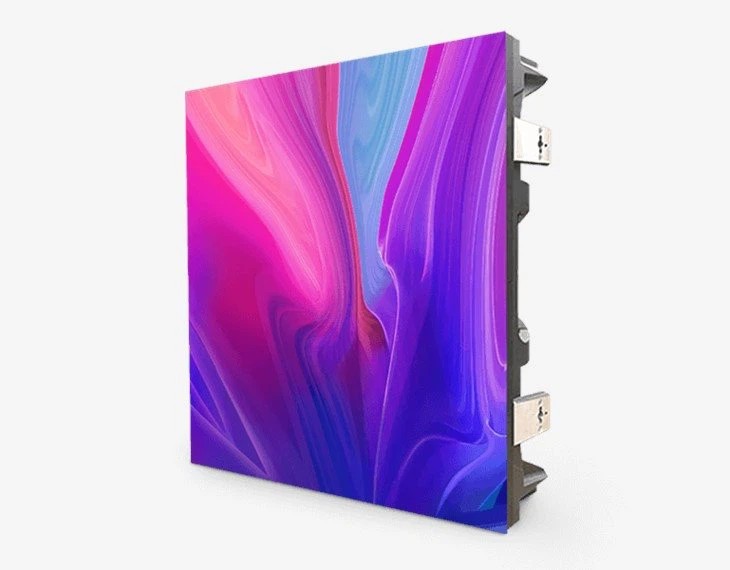
  1. ​Inside the lower right corner border​ ​(Like the design of the volume keys on the side of a mobile phone)
  2. ​Near the cooling hole on the back​ ​(Look at the round button with the power symbol)
  3. ​Base bracket connection​ ​(Easy to touch when rotating the stand)

To give a real example: A new large LED screen was installed in a university auditorium last year. The installer designed the switch in the groove of the bracket's shaft. On the day of the event, more than 20 people searched for it for half an hour. Later I discovered that you have to use your fingernail to gently push up the protective cover - you see, the design is too hidden and it affects the user experience.

Where to adjust the computer LED screen switch? Teach you step by step three positioning methods

2. System settings: "remote control hidden in the computer""

If you really can’t find the physical switch, don’t panic! Today's LED screens have long been able to be controlled by computers. Press and hold on the keyboard​ ​Win+X​ ​, select "Display Settings" and focus on these three places:

  1. ​Multi-monitor setup​ ​Look for the "Second screen only" option
  2. ​Night mode switch​ ​Ability to temporarily turn off the backlight (equivalent to soft shutdown)
  3. ​Advanced zoom settings​ ​The "custom scaling" in actually affects power management

Interestingly, we encountered this situation last year when we installed advertising screens for supermarket chains: the clerk accidentally touched the "project to this computer" function, causing the screen to go black. Later I found that I could restore it by re-enabling the "Universal Plug and Play Monitor" driver in "Device Manager" - you see, software settings are more effective than hardware switches.


3. Control software: "dimmer console" for professional players"

Do you need to accurately control the switching time for activities? It’s time to sacrifice​ ​LED control software​ ​This is an artifact. Take common software on the market as an example:

  1. ​Timer switch​ ​: Set the screen to automatically turn on at 8 a.m. and turn off the screen at 10 p.m.
  2. ​Scenario​ ​: Automatically lower the brightness during a lecture and switch to high-brush mode when playing a video
  3. ​emergency shutdown​ ​: In an emergency, use the shortcut keys Alt+F4 to force the screen to shut down.

The story of a hotel customer is particularly typical: the LED welcome screen in their lobby always automatically lights up in the middle of the night. Later, it was discovered that the cleaning lady accidentally touched the "always on mode" while wiping the screen. We have added a motion detection function to the software, and now it automatically sleeps when no one passes by, saving 12,000 kilowatt hours of electricity every year.


4. Special Scenarios: Beware of these "hidden mechanisms"

Don’t rush to report for repair if you encounter these situations:

  • ​The splicing screen has a collective black screen​ ​? First check the power indicator light of the signal distributor
  • ​Touch screen unresponsive​ ​? It may be that the "stylus only operation" mode is enabled by mistake.
  • ​Outdoor screen automatically shuts down in rainy days​ ​? In fact, it is the IP65 protection that triggers the humidity protection

The fence screen installed in the stadium last month caused a joke: the screen suddenly went black during the game, and the manager jumped up and down. It turned out that the site electrician connected the screen power supply and the freezer to the same circuit, and the overload tripped it - so power distribution planning is more important than switch position.


​personal opinion​
Today's LED screen switch designs are becoming more and more "dephysical", just like the trend of eliminating physical keys in smartphones. But I think key equipment should still retain physical emergency switches. Last year, a certain emergency command center lost control of its large screen due to a software crash. In the end, it all relied on physical switches to cut off power in a timely manner. In the future, if voice-activated switches can be combined with mobile phone APP control, that would be truly smart.

for more product information and pricing, please contact us .

Shenzhen New Screen Display Technology Co.Ltd