Hi~welcome to shenzhen xinmu display technology co., ltd.!

News Center

hotline:

13632760729

What should I do if the LED display cannot find the USB port?

2025-10-29 63

Have you also encountered this situation? The newly arrived LED display clearly states that it has a USB port, but after circling the device three times, I still can’t find the socket. My friend made a joke when setting up the exhibition last week - he took a USB flash drive and touched the back of the screen for half an hour, only to find that the interface was hidden in the snap cover on the side. It was really dumbfounding to talk about it.

​Don’t rush to find a screwdriver yet.​ ​. Nowadays, the design of LED display screens pays more and more attention to aesthetics, and the USB interface that is clearly exposed has long been outdated. For example, a curved screen customized by an exhibition hall last year had the interface made into a magnetically hidden design. Novices would not be able to find the way without reading the instructions. Here’s a little trivia: 85% of first-time installation failures are caused by not finding the correct interface.

What should I do if the LED display cannot find the USB port?

​Look for these three common locations where U-mouths are hidden​ ​. Different methods of finding are required depending on the installation method: suspended screens are mostly near the top heat dissipation holes. ; Floor stand models are usually on the inside of the right column ; If it is flush-mounted, you will most likely have to remove the decorative frame before you can see it. Last time I saw a very clever design - the USB interface is made into an indicator light shape, and the breathing flashes when a USB flash drive is inserted. This kind of thinking that is both practical and beautiful is really amazing.

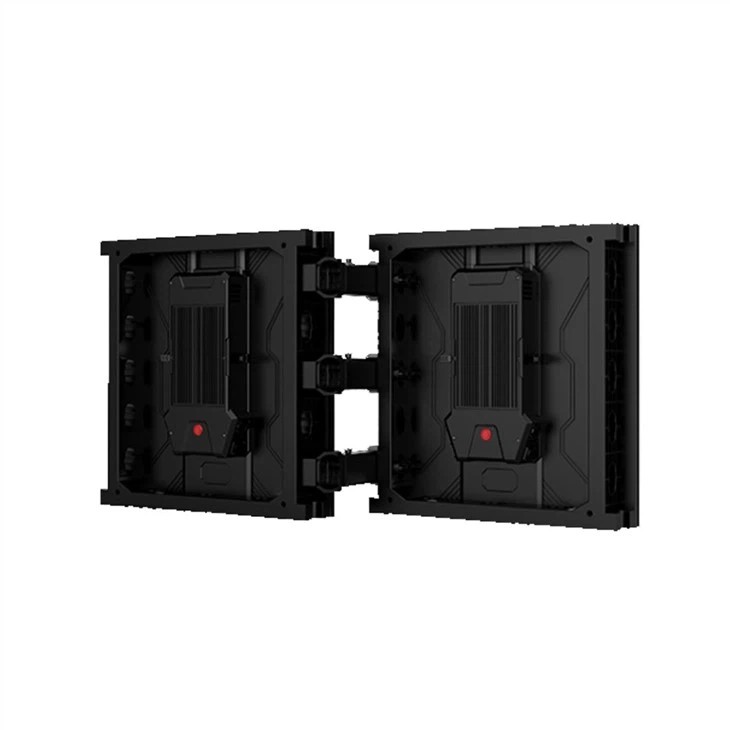
When you really can’t find it, try this three-step positioning method: First, use your mobile phone’s flashlight to slowly scan along the border of the screen, and pay attention to whether there is a square depression with a protective cover.; Then check the location of the receiving card (it’s the iron box connected to many lines) ; Finally, don’t forget to look near the power socket. Some manufacturers will make integrated designs. If you still can't find it, you probably have to contact after-sales service to ask for a structural diagram. After all, the design logic of each company is different.

​Important reminder​ ​: Never pry open an outdoor screen with waterproof function! This type of equipment usually uses a triple protection design. You must first press the buckles on both sides of the cover before sliding it open. Last year, a newbie used a key to poke it hard, and the waterproof rubber ring was broken. When it rained, it short-circuited and burned the control card. The repair fee was almost half the price of the screen.

Let’s focus on the misunderstandings that are easy to occur about interface types. There are three mainstream specifications now: standard USB-A port, Type-C port and locked industrial interface. There is a simple way to judge - look at the shape of the wire connector that comes with it. If you find that the interface does not match the USB flash drive, you may need to buy an adapter. Don't foolishly rush to replace the USB flash drive like I did before.

Table: U-port positioning guide in different scenarios
Installation methods, common locations, special tips
It may be necessary to open the dust cover on the lower right side of the fixed installation frame.
Quick disassembly design with groove on the back of the rental screen box
It is necessary to unscrew the waterproof cover inside the outdoor screen waterproof cabin.
For customized locations of creative styling screens, please refer to the installation drawings.

Why is there no response after inserting the USB flash drive? This question is quite relevant. First check whether it is inserted in the opposite direction (don’t laugh, this happens often), and then confirm whether the U disk format is FAT32. There is also a hidden problem - on some screens, you need to press the menu key at the same time to switch signal sources. Many novices don't know this operation. If you have tried all of these methods and it still doesn't work, it is likely that the interface is oxidized and has poor contact. You need to gently wipe the metal piece with an alcohol cotton pad.

When it comes to maintenance, dust accumulation on interfaces is the most overlooked area. It is recommended to use a compressed air tank to purge the interface every quarter, and pay special attention to check the closed status of the waterproof cover during the rainy season. Some high-end displays also have self-cleaning functions, but that's another price. I remember a showroom manager shared his experience - he used a makeup brush to clean the interface regularly, which was soft and would not leave scratches.

The editor finally wants to be honest: when purchasing, be sure to confirm whether the interface design meets the usage scenario. It is recommended to choose the front magnetic type in places where plugging and unplugging are often required, and the waterproof interface with lock is preferred for outdoor projects. Some manufacturers now provide interface modification services. For installations that require high-altitude operations, you can ask them to install extension wire conduits. By the way, the new smart screen can also transfer files wirelessly with your mobile phone. This is a lifesaver for friends who can’t always find the U port!

for more product information and pricing, please contact us .

Shenzhen New Screen Display Technology Co.Ltd